In our 2024 June (version 5.31.0) software release, we’ve added a new feature to account for uncertainty factors. These factors can be accounted for across three areas:
- Project phase
- Carbon data
- Quantities
The calculation of these factors are referenced from the RICS WLCA PS 2nd Edition standards.
Jump to the following sections in this post:
Project Phase
The project phase contingency factor applies to all life cycle stages and modules in eTool and the default factors are as per the table below:
| Project Phase | Contingency Factor |
|---|---|
| Early Design | 15% |
| Technical Design & Construction | 6% |
| Post Completion | 0% |
Carbon Data
A carbon data uncertainty factor of between 0% – 7% is determined after calculating the carbon data confidence score. The carbon data confidence score is calculated by assessing the source data for 10 most impactful products or materials (in terms of the percentage of the asset’s embodied carbon) against a carbon data quality matrix. The data quality matrix below (referenced from RICS WLCA PS 2nd Edition) qualitatively assesses the carbon data for geographical relevance, technological relevance, temporal relevance, data granularity and data verification.

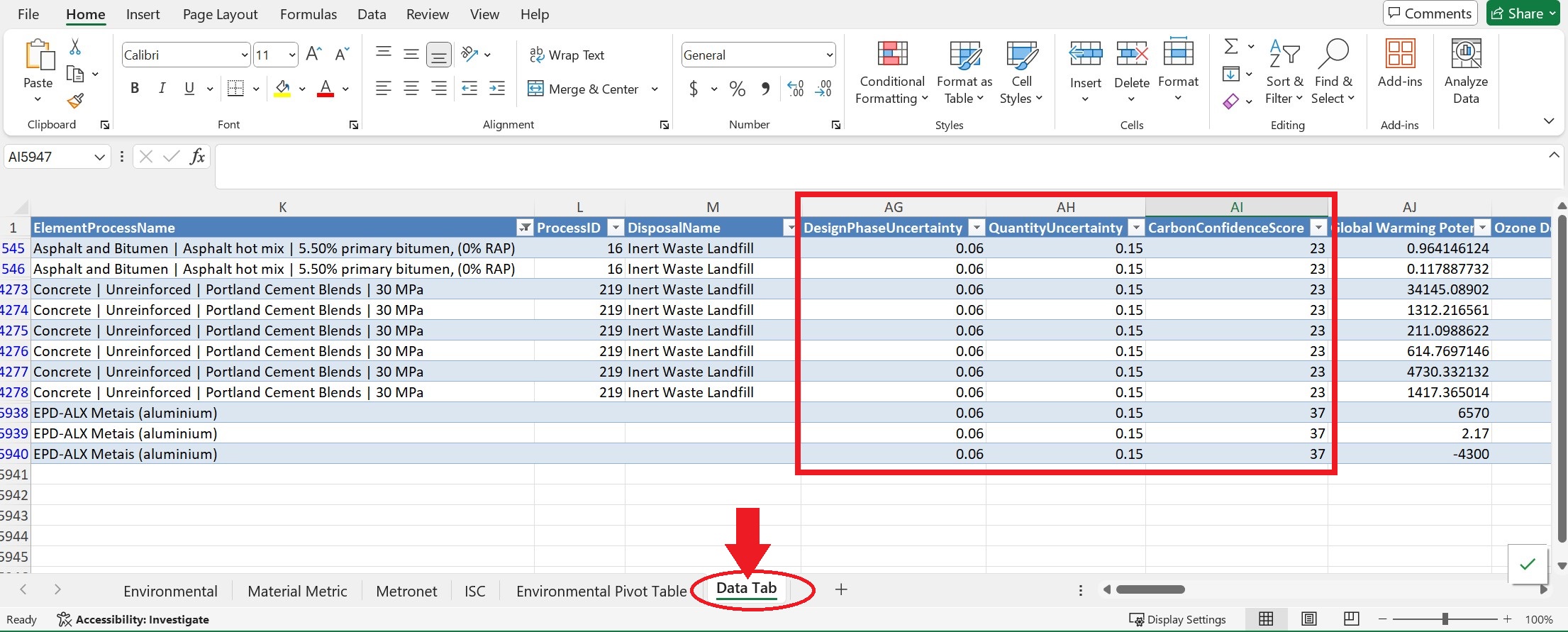
In eTool, each item/input in your LCA is given a carbon confidence score which can be seen when you download the All Impacts Report at the Design level. To calculate the carbon confidence score, we use the following calculations for the different elements/inputs based on the matrix above.
| Item | Default Confidence Carbon Score | Calculation |
| LCI Source Industry Average Materials/Elements | 23 | 7+5+4+4+3+0 |
| Prouct Specific EPDs | 37 | 10+6+6+6+4+5 |
| Industry Average EPDs | 33 | 10+4+5+6+3+5 |
Below are some examples of how the calculation is made:
When a Product Specific EPD is used in your study:

When an Industry Average EPD is used in your study:

Quantities
The uncertainty factor for material/input quantities is also based on the top 10 most impactful products or materials and provides an indication of the uncertainty associated with the quantities used in the WLCA. For each of the top 10 products or materials a quantity uncertainty level (QUL) score is assessed. The weighted average QUL score is then used to calculate the quantities uncertainty factor between 0% – 4%.
How to Set Up Uncertainty Factors in eTool

Additional Step for adding Uncertainty Factors for Quantities

Override Default Figures for Project Phase Contingency Factors

Generate All Impact Details Report for Uncertainty Results
Your uncertainty results can be found in the All Impact Details report that you generate in your Design.