Note: If you are updating the details of an Personal Plan, please see: How to Update My Personal Subscription / Payment Details?When you create an organisation, your Personal Plan stay as Trial user to avoid double-billing.
UPDATE ORGANISATION’S PAYMENT DETAILS/SEATS
Please follow the steps outlined below. Keep in mind that changes won’t be applied immediately; instead, your updated preferences will be submitted as a request, which we will process shortly.
- Navigate to your Organisation Portal <most important step to avoid creating a new organsation>
- Click on ‘Edit Plan’
- Click on ‘Edit Plan’ again to update payment method & seat details.

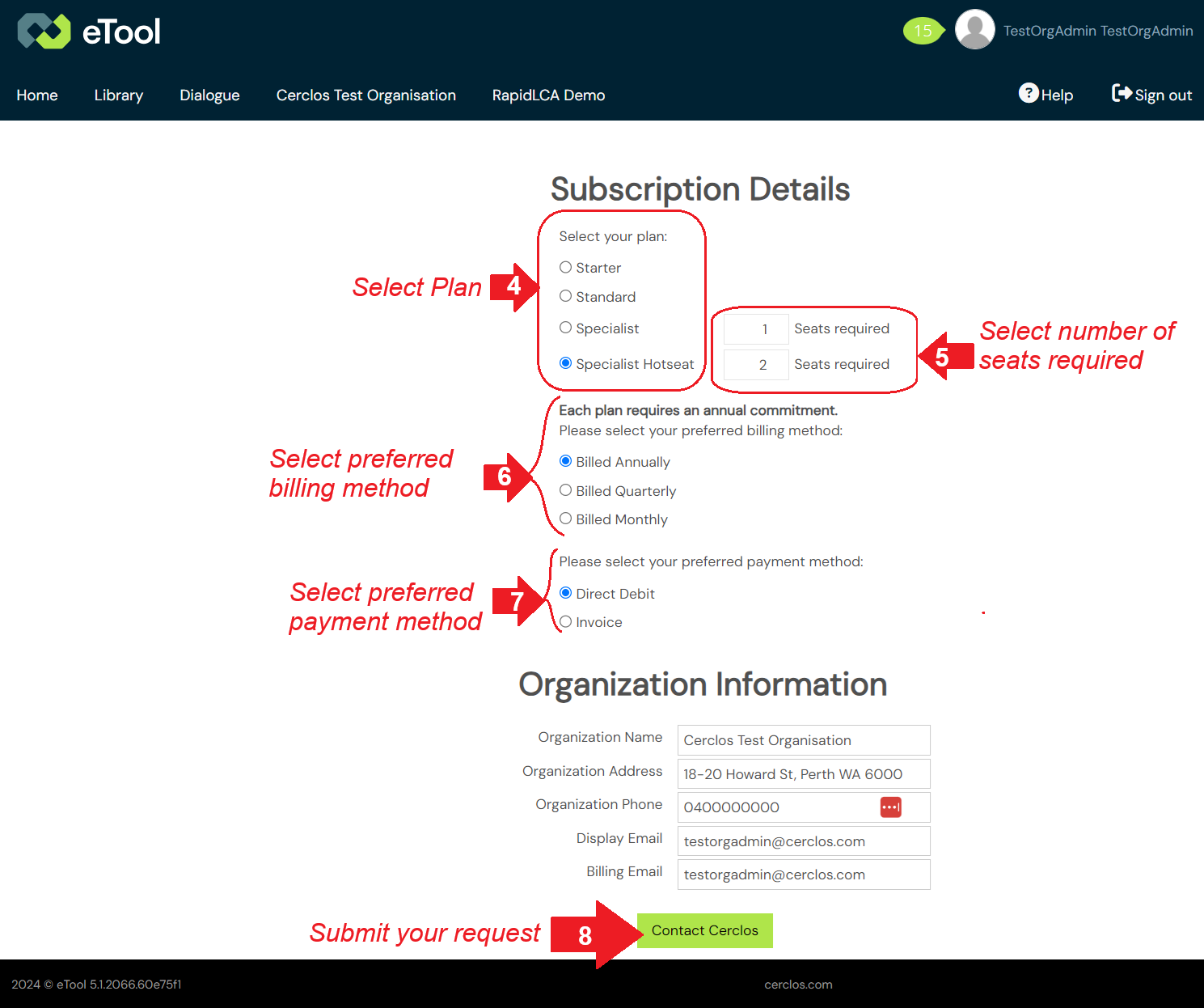
- Select preferred Plan.
- Leave the number of seats as is if you do not wish to change them OR update to the total number of seats required.
- Select peferred billing method. All subscriptions require an annual commitment, with flexible billing options available including monthly, quarterly, and yearly options.
- Select prefered payment method.
- Click ‘Contact Cerclos’ to submit your request.
CANCEL ORGANISATION’S PLAN
BEFORE you cancel your subscription, please ensure that you are aware of what you need to do before you downgrade your plan by reading the post below:
Cancelling My Subscription – What Do I Need To Know?
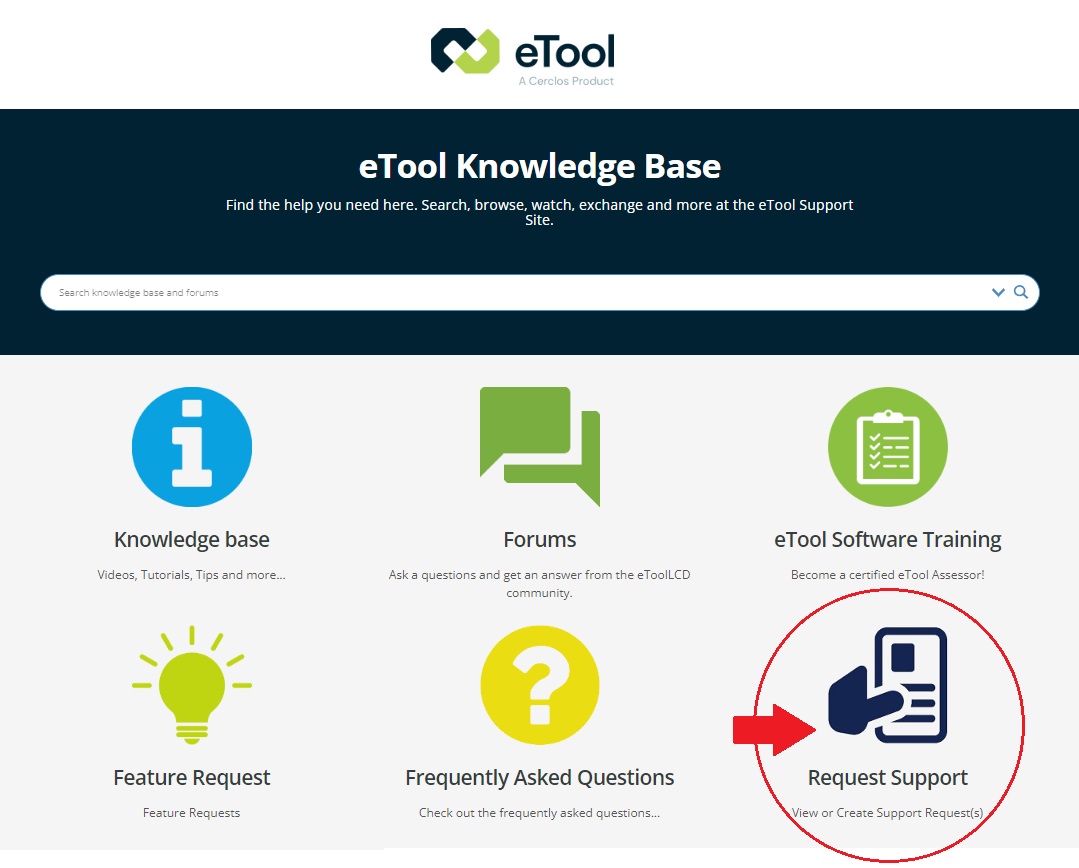
After completing the process outlined above, please submit a ticket through our support site to request the cancellation of your plan. A member of our team will reach out to you to finalise the cancellation process.
Please make sure to provide at least 30 days’ written notice of your intention to cancel, as required by our terms of service.